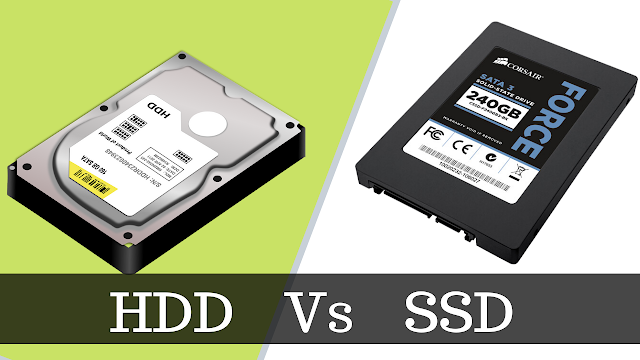
In today’s computing landscape, storage drives are an indispensable component. When I first began learning about computers and how to choose suitable hardware, I found myself quite confused by the wide variety of storage options available on the market. There are traditional mechanical hard drives (HDDs), solid-state drives (SSDs), and even hybrid drives (SSHDs). Choosing the right type of storage drive not only affects data processing speed but also has a direct impact on everyday user experience.
In this article, I will explore the two most common types of storage drives today – HDDs and SSDs – examine their differences, advantages, and disadvantages, and from there provide guidance on selecting the most suitable option for personal or professional use.

1. What Is a Storage Drive? Its Role in a Computer
A storage drive is a core component of a computer, responsible for storing all data, from the operating system and software to personal documents, images, videos, and other important files. If a computer can be compared to a “brain,” then the storage drive functions as its “memory,” enabling information to be stored securely and accessed quickly whenever needed.
A storage drive operates through read and write processes: when a file is saved, data is written to a disk surface or flash memory; when the file is opened, the drive reads the data and transfers it to the processor for use. Therefore, the speed and type of storage drive directly affect the user experience, from system boot time and application launch speed to copying or processing large amounts of data.
Currently, the most common types of storage drives include:
- HDD (Hard Disk Drive) – a traditional mechanical hard drive that uses rotating magnetic platters to store data. This type of drive remains popular due to its low cost and large storage capacity.
- SSD (Solid State Drive) – a solid-state drive that uses flash memory and a controller to access data. With no moving parts, SSDs offer significantly faster read and write speeds than HDDs.
- SSHD (Solid State Hybrid Drive) – a hybrid drive that combines HDD and SSD technologies, leveraging the large capacity of HDDs and the faster access speeds of SSDs. It serves as a middle-ground solution for users seeking a balance between cost and performance.
2. HDD – Hard Disk Drive
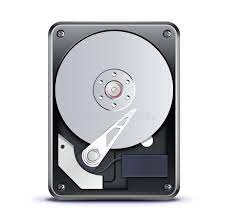
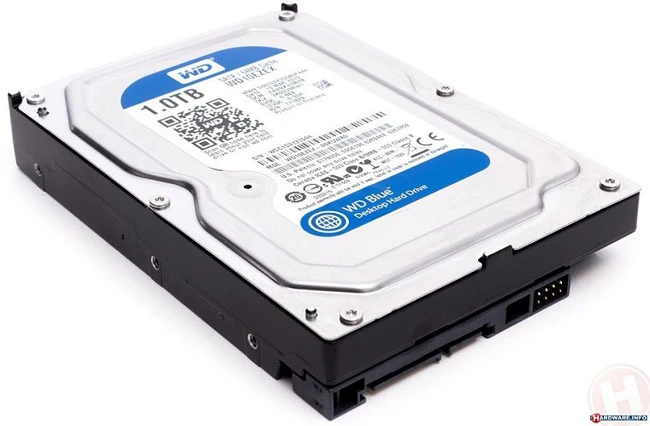
An HDD is a traditional mechanical storage drive that has existed for decades and is still widely used thanks to its large capacity and reasonable cost. Its operating mechanism is quite fascinating: data is stored on continuously spinning magnetic platters, while a mechanical arm (read/write head) moves to read and write information. When I first learned about it, I was genuinely impressed by how such a small mechanical device can store hundreds of gigabytes of data and operate reliably for many years.
Advantages of HDDs
- Low cost: Compared to SSDs, HDDs offer a much lower cost per gigabyte, making them suitable for users who need to store large amounts of data without a significant financial investment.
- High capacity: Modern HDDs can reach several terabytes in capacity, making them ideal for storing movies, photo collections, documents, or full system backups.
- Relatively long lifespan: When used and maintained properly (avoiding physical shocks and high temperatures), HDDs can operate reliably for 5–10 years or even longer.
Disadvantages of HDDs
- Slower access speed: Due to their mechanical nature, HDDs cannot read and write data as quickly as SSDs. This affects operating system boot times and the loading speed of demanding applications.
- Susceptible to mechanical failure: The spinning components and read/write heads are sensitive to shocks and vibrations. A drop or strong impact can lead to data loss or drive failure.
- Noise and power consumption: Because HDDs rely on constantly spinning disks, they can produce audible noise and consume more power than SSDs.
Common Use Cases
HDDs are typically used for storing large volumes of data where access speed is not critical, such as movie libraries, photo archives, backup data, storage servers, or NAS systems. Many usersng dụng cần tốc độ cao, HDD dùng để lưu trữ dữ liệu lớn, vừa tiết kiệm chi phí vừa tối ưu hiệu năng.
3. SSD – Solid State Drive
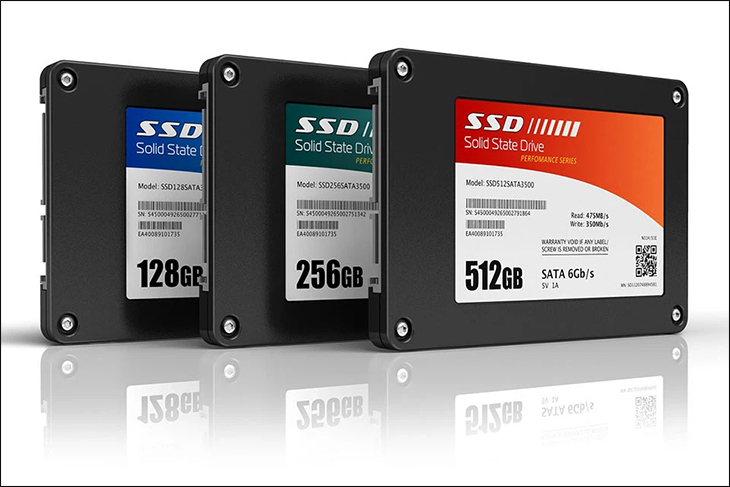
Unlike HDDs, SSDs use flash memory (NAND flash) and a controller to store and access data, with no mechanical components at all. This design allows SSDs to operate faster, be more durable, and run almost silently. When I first experienced an SSD on a laptop, I was truly impressed by Windows booting in under 10 seconds and the noticeably smoother performance when launching demanding applications.
Advantages of SSDs
- High speed: SSDs read and write data many times faster than HDDs, allowing operating systems, software, and games to launch almost instantly.
- High durability: With no moving parts, SSDs are far less prone to damage from shocks, vibrations, or frequent laptop movement.
- Low power consumption: SSDs use less power than HDDs, helping extend battery life on laptops.
- Near-silent operation: Without spinning disks or mechanical arms, SSDs produce virtually no noise.
Disadvantages of SSDs
- Higher cost: High-capacity SSDs, such as 1TB models, are significantly more expensive than HDDs of the same capacity.
- Limited write cycles: Flash memory has a finite number of write cycles. However, thanks to wear-leveling technology, most typical users will not encounter this limitation throughout the drive’s usable lifespan.
Common Use Cases
SSDs are ideal for scenarios that demand high speed, such as lightweight laptops, gaming PCs, servers requiring fast data access, or systems that need quick boot times and rapid application performance. Today, many users choose a hybrid setup: an SSD for the operating system and applications, combined with an HDD for large data storage, achieving both high performance and cost efficiency. hệ điều hành và ứng dụng, HDD cho lưu trữ dữ liệu lớn, vừa nhanh vừa tiết kiệm chi phí.
4. Comparison Between SSD and HDD
| Feature | HDD | SSD |
|---|---|---|
| Speed | Slow – dependent on mechanical components | Fast – near-instant data access |
| Durability | Moderate – contains mechanical parts | High – no moving components |
| Noise | Produces noise during operation | Nearly silent |
| Price per GB | Low | High |
| Power Consumption | High | Low |
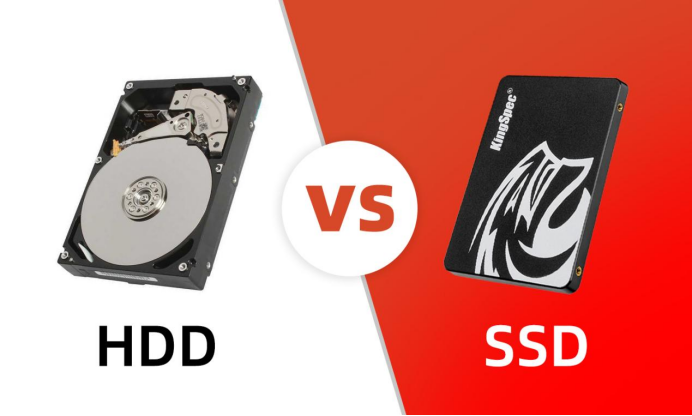
5. When to Use an SSD and When to Use an HDD
5.1 When an SSD Is the Right Choice
Installing the operating system and speed-critical applications:
SSDs enable faster system boot times and smoother software performance, which is especially beneficial for users working with resource-intensive applications or games.
- Thin and lightweight laptops: SSDs consume less power, helping extend battery life and reduce heat generation.
- Gaming PCs or servers requiring fast data access: SSDs provide high read/write speeds, significantly reducing load times for large datasets.
5.2 When an HDD Is the Right Choice
- Storing large volumes of data: Ideal for movies, photos, documents, or full system backups where access speed is not a priority.
- Data storage servers where speed is not critical: With large capacities and low cost, HDDs remain an economical solution.
5.3 Combining SSD + HDD
Many users today choose a combination of SSD and HDD: an SSD for the operating system and applications, and an HDD for large-scale data storage. This approach leverages the strengths of both types – high performance and cost-effective capacity—making it a balanced solution for both individual users and businesses.
6. New Technologies and the Future of Storage Drives
Storage technology continues to evolve, offering new options and higher performance:
NVMe SSDs and PCIe SSDs: These advanced SSDs use the NVMe protocol over the PCIe interface, delivering significantly faster read/write speeds than traditional SATA SSDs. They are particularly well suited for servers, high-end gaming PCs, or applications that require rapid processing of large data volumes.
SSHD (Hybrid Drive): SSHDs combine HDD and SSD technologies, benefiting from the fast access speeds of SSDs and the large storage capacity of HDDs. They offer a compromise between performance and cost.
Future trends: SSDs are becoming increasingly popular and are gradually replacing HDDs in many use cases as prices decline and capacities increase. This shift promises smoother user experiences, faster data access, and greater reliability. Both individual users and enterprises now have more flexible storage options to meet their needs.
7. Conclusion
Storage drives play a crucial role in determining a computer’s data storage capacity and access speed. In this article, we have examined:
HDD (Hard Disk Drive): A traditional mechanical drive with advantages in large capacity and low cost, but with slower data access speeds and higher susceptibility to mechanical failure. Commonly used for storing movies, photos, backup data, or systems that do not require high performance.
SSD (Solid State Drive): A solid-state drive that uses flash memory, offering fast read/write speeds, high durability, low power consumption, and near-silent operation. Ideal for operating systems, demanding applications, thin and light laptops, gaming PCs, or servers requiring fast data access.
SSD vs. HDD comparison: SSDs excel in speed, durability, noise reduction, and power efficiency, while HDDs maintain an advantage in storage capacity and cost. Combining both types provides a balanced solution between performance and storage.
New technologies: NVMe SSDs, PCIe SSDs, and SSHDs deliver faster access speeds and more flexible storage capacities, expanding the range of choices available now and in the future.
In summary, selecting the right storage solution depends on requirements for speed, capacity, and budget. In many cases, combining different types of storage drives is the most effective way to optimize overall performance and efficiency.
8. References
[1] D. A. Patterson and J. L. Hennessy, Computer Organization and Design: The Hardware/Software Interface, Morgan Kaufmann, 2021.
[2] D. Sandler, “SSD vs HDD: Which is Better for You?”, TechSpot, 2022.
[3] P. Martin, Understanding Solid State Drives, O’Reilly Media, 2020.
[4] StorageReview.com, “HDD vs SSD: Speed, Price, and Reliability Comparison”, 2023.