
In the modern web world, almost every application needs to maintain state across user interactions – from remembering login sessions and shopping carts to personalizing the user experience. However, the HTTP protocol is stateless, meaning each request sent to the server is independent and does not “remember” information from previous interactions. That’s why cookies exist as a mechanism to maintain user state on the web.
A cookie is a small data file that a browser stores temporarily or persistently to help the server and client exchange information more effectively. It plays a crucial role in user identification, session management, storing personal preferences, and analyzing user behavior. Despite their small size, cookies have a broad impact on performance, security, and user privacy.
In this article, we will explore cookies comprehensively – from the concept, structure, and how they work, to common types of cookies, security risks, and emerging trends. The goal is to understand how cookies truly operate and how to use them correctly in web projects to ensure both efficiency and safety.

1. What is a Cookie?
A cookie (also called an HTTP cookie, web cookie, or browser cookie) is a small piece of data that a server sends to a browser when a user visits a website. Once received, the browser can store this information temporarily or persistently and automatically send it back to the server on subsequent visits.
This mechanism was created to overcome the biggest limitation of the HTTP protocol – its stateless nature, meaning each request is processed independently and does not remember the state between visits. Thanks to cookies, websites can “remember” who the user is, whether they are logged in, which language they prefer, or what items are in their shopping cart.
Historically, cookies were introduced in the mid-1990s by Netscape Communications, initially aimed at storing user session information. Over time, cookies quickly became a foundational component of the web, playing a crucial role in user authentication, storing interface preferences, personalizing experiences, and supporting analytics for performance optimization and advertising.
In short, a cookie is the web’s “temporary memory” – helping websites become smarter and more seamless when interacting with users.

2. Structure of a Cookie
A cookie is essentially a small piece of data stored by the browser, consisting of a name = value pair and several attributes that define its scope, lifespan, and behavior. Here are the basic components:
- Name – Value: The main key–value pair, e.g.,
sessionId=abc123. This is the core content that helps the server identify the user or store temporary information. - Domain: Specifies the domain for which the cookie applies. For example,
.example.commeans the cookie can be accessed from all subdomains of this site. - Path: Defines the path within the website where the cookie is valid. For example,
/shopmeans the cookie is only sent with requests to pages under the/shopdirectory. - Expires / Max-Age: Determines the lifespan of the cookie. If not set, the cookie is automatically deleted when the browser is closed (called a session cookie).
- Secure: When enabled, the cookie is only sent over HTTPS, ensuring information is not exposed on unencrypted connections.
- HttpOnly: Restricts access to the cookie from JavaScript, preventing Cross-Site Scripting (XSS) attacks – a common technique used to steal user data.
- SameSite: Specifies how the cookie is sent with requests from other sites (cross-site). There are three modes:
- Strict: only send the cookie when accessing the same site.
- Lax: send the cookie in certain safe cases (e.g., clicking a link from an external site).
- None: allows the cookie to be sent in all cases, but must be paired with Secure.
These attributes allow developers to flexibly control the scope, security, and lifespan of a cookie, tailored to the specific needs of a web application.
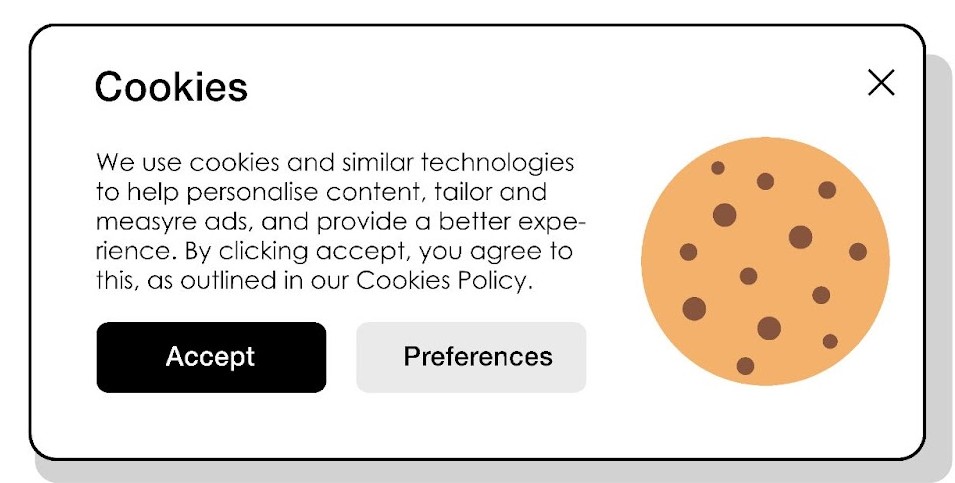
3. Types of Cookies
Understanding the types of cookies helps in choosing the right use case and identifying potential security and privacy risks. Here are the four most common types of cookies:
- Session Cookie:
This type of cookie exists only while the user’s browser is open. Once the browser is closed, the cookie is automatically deleted. They are typically used to store session IDs, helping the server recognize the user during a session – for example, when logging into an account, adding items to a cart, or filling out multi-step forms. - Persistent Cookie:
Unlike session cookies, persistent cookies have a defined lifespan set via the Expires or Max-Age attribute. They remain even after the user closes the browser until they expire or are manually deleted. These cookies are commonly used for features like “Remember Me,” storing language preferences, themes, or personal settings to provide a seamless experience on subsequent visits. - First-party Cookie:
Created by the website the user is currently visiting (same domain). This type of cookie is the most “friendly” as it directly serves the website’s functionality – for example, remembering light/dark mode or display language preferences. - Third-party Cookie:
Created by a domain different from the website the user is visiting, often appearing in iframes, advertisements, or external analytics tools. Their main purpose is to track user behavior across multiple websites for personalized advertising. However, due to privacy concerns, many browsers now restrict or block these cookies entirely.
In summary, each type of cookie serves a different role – from maintaining sessions and storing user preferences to supporting advertising – and developers need to carefully balance functionality with potential impacts on security and privacy before implementation.

4. How Cookies Work
o understand the true role of cookies in maintaining state, we need to look at how they are created, stored, and exchanged between the client (browser) and server. The entire process is defined in RFC 6265 – the standard for HTTP Cookies.
The basic process is as follows:
- Client → Server (Initial Request):
When a user visits a website for the first time, the browser sends an HTTP request to the server. At this point, the browser does not have any cookies related to that domain, so the request is sent “clean.” - Server → Client (Create and Send Cookie):
The server receives the request, processes it, and responds with an HTTP response. In the response header, the server can include a line:
Set-Cookie: sessionId=abc123; Path=/; HttpOnly; Secure; SameSite=Lax<br>This line instructs the browser to store the sessionId cookie along with its associated attributes. Upon receiving it, the browser saves the cookie according to the specified domain and path.
Client (Subsequent Requests) → Server:
On subsequent visits, the browser automatically includes the corresponding cookie in the request header:
Cookie: sessionId=abc123
- Cookies are only sent if the domain, path, and conditions (such as Secure or SameSite) match the current request.
- Server Processing and Response:
- Based on the received cookie, the server can identify the user, restore the session state, authenticate identity, or display personalized content such as “Hello, Toan!”.
Cookies act as a “bridge” between visits. They allow HTTP — which is inherently stateless — to “remember” users and maintain a logical connection between requests, thereby creating a smoother and smarter web experience.

5. Applications and Roles of Cookies
Cookies are one of the most important foundations that make modern web experiences more “personalized” and user-friendly. Although they are small pieces of data, cookies play a role in almost every routine web activity. Typical applications include:
- Login Persistence:
Cookies help websites save a user’s login state. This way, you don’t need to re-enter your username and password every time you revisit a site – the “Remember me” feature works by storing cookies that contain session tokens or user identifiers. - Shopping Cart Management:
On e-commerce sites, cookies temporarily store your shopping cart information, such as the list of products you’ve selected but not yet purchased. Even if you leave the site temporarily, your cart remains intact when you return. - Personalization:
Cookies save users’ personal preferences, such as display language, light/dark theme, or layout choices. This allows websites to display content according to user preferences on each visit without requiring users to reset settings - Tracking and Analytics:
Cookies are used to record user actions – for example, which pages are viewed most, time spent on a page, or navigation paths. Tools like Google Analytics rely on cookies to aggregate data, helping website owners understand visitor behavior. - Advertising and Remarketing:
This is a common use of third-party cookies. When you visit a site, cookies set by third-party services (like ad networks) can be used to display relevant ads on other sites you visit. This is the mechanism behind the familiar “retargeting” ads seen across the internet.
Cookies enable websites not only to store state but also to provide a seamless, personalized experience and optimize business performance. However, the downside of this convenience lies in security and privacy concerns.

6. Security and Privacy Issues
Although cookies offer many conveniences, if not designed and managed carefully, they can become serious security vulnerabilities. Since cookies often contain identifying information (session IDs, tokens, etc.), hackers can exploit them to steal or impersonate users. Here are common risks and prevention methods:
- Cookie theft / Session hijacking:
This type of attack occurs when an attacker steals a cookie containing session information (session ID) and uses it to log in as the victim. This can happen if cookies are transmitted over an unencrypted connection (HTTP instead of HTTPS). - Cross-Site Scripting (XSS):
One of the most common risks. If an application allows malicious scripts to run, attackers can use JavaScript to read users’ cookies. That’s why theHttpOnlyattribute should be set to prevent JavaScript from accessing cookies, especially those containing session tokens. - Cross-Site Request Forgery (CSRF):
This attack exploits the browser’s automatic sending of cookies in requests to websites. Hackers can craft malicious requests that make users perform actions unknowingly (e.g., changing passwords, transferring money).
To mitigate these risks, OWASP (Open Web Application Security Project) recommends best practices:
- Set
HttpOnlyfor all cookies containing sensitive information. - Set
Secureso cookies are transmitted only over HTTPS, preventing eavesdropping. - Configure
SameSiteappropriately:StrictorLaxreduces CSRF risks. - Do not store sensitive information such as passwords or credit card numbers in cookies.
- Set reasonable expiration times and remove sessions from the server upon logout.
- Include CSRF tokens in forms or state-changing requests.
Cookies are powerful tools but can also pose significant risks if not properly managed. When working with cookies, I always strive to follow the principle of “store as little sensitive data as possible” and to implement all necessary security mechanisms to protect both users and the system.

7. The Evolution of Cookies in the Modern Context
In recent years, cookies – especially third-party cookies – have undergone significant changes as the entire web ecosystem moves toward greater user privacy protection.
Previously, third-party cookies were the backbone of behavioral tracking and personalized advertising, allowing ad networks to record user activity across multiple sites. However, this raised concerns about the collection and use of personal data.
Major browsers like Safari, Firefox, and Google Chrome have limited or are phasing out third-party cookies. Google, through its Privacy Sandbox initiative, is adjusting strategies to balance user privacy with online advertising needs.
Instead of tracking users directly, Privacy Sandbox introduces alternative technologies:
- Topics API: shares interest categories instead of personal data.
- Protected Audience API: delivers ads without revealing identity.
- Partitioned Cookies: separates cookies by site to prevent data sharing.
- Storage Access API: allows cookie access within controlled environments.
These changes reflect a “privacy-first web” trend, where cookies remain important but must adhere to stricter security and privacy principles.
- First-party and session cookies continue to maintain user experience.
- Third-party cookies are gradually being replaced by anonymous and privacy-preserving solutions.
In summary, cookies are not disappearing; they are evolving to adapt to a new era—one that respects users and enforces tighter control over data and digital privacy.
8. Conclusion
Through this exploration, I have found that cookies remain a core component of modern web operations – acting as a bridge between discrete HTTP requests, maintaining state, storing personalized experiences, and supporting many convenient features for users. However, precisely because of their ability to store and exchange data, cookies also become sensitive points regarding security and privacy.
Today, in the context of a “privacy-first web,” cookies are being reshaped: browsers are limiting the tracking capabilities of third-party cookies while retaining first-party cookies as the foundation for user experience. This requires developers and web engineers to have a deeper understanding of how cookies work, be familiar with attributes like HttpOnly, Secure, SameSite, and implement best security practices according to OWASP guidelines or new standards.
For me, understanding cookies is not just a technical matter but also an important part of designing secure and user-respecting systems. Knowing how to use cookies correctly helps create applications that are both smooth and secure – a necessary foundation for any modern web project.
9. References
[1] MDN Web Docs, “HTTP cookies – Introduction, attributes, and security,” Mozilla Developer Network, 2025. [Online]. Available: https://developer.mozilla.org/en-US/docs/Web/HTTP/Cookies
[2] J. Kristol and L. Montulli, “HTTP State Management Mechanism,” RFC 6265, Internet Engineering Task Force (IETF), Apr. 2011. [Online]. Available: https://datatracker.ietf.org/doc/html/rfc6265