In programming, making decisions based on conditions is one of the core skills. We can easily relate this to everyday life: “If it rains, bring an umbrella; if it’s sunny, wear sunglasses.” This is the basic idea behind conditional statements.
In Python – a language well known for its simplicity and readability – the if statement plays an extremely important role. It is not only the starting point for controlling program flow but also the foundation for building more complex algorithms. Whether you are writing a small program to calculate scores or a large system such as an e-commerce platform, you will certainly need to use if.
This article will help you clearly understand the nature, usage, variations, and important notes of the if statement in Python. In addition, I will share some practical examples so you can easily apply them to your exercises or projects.
1. Concept of the if Statement
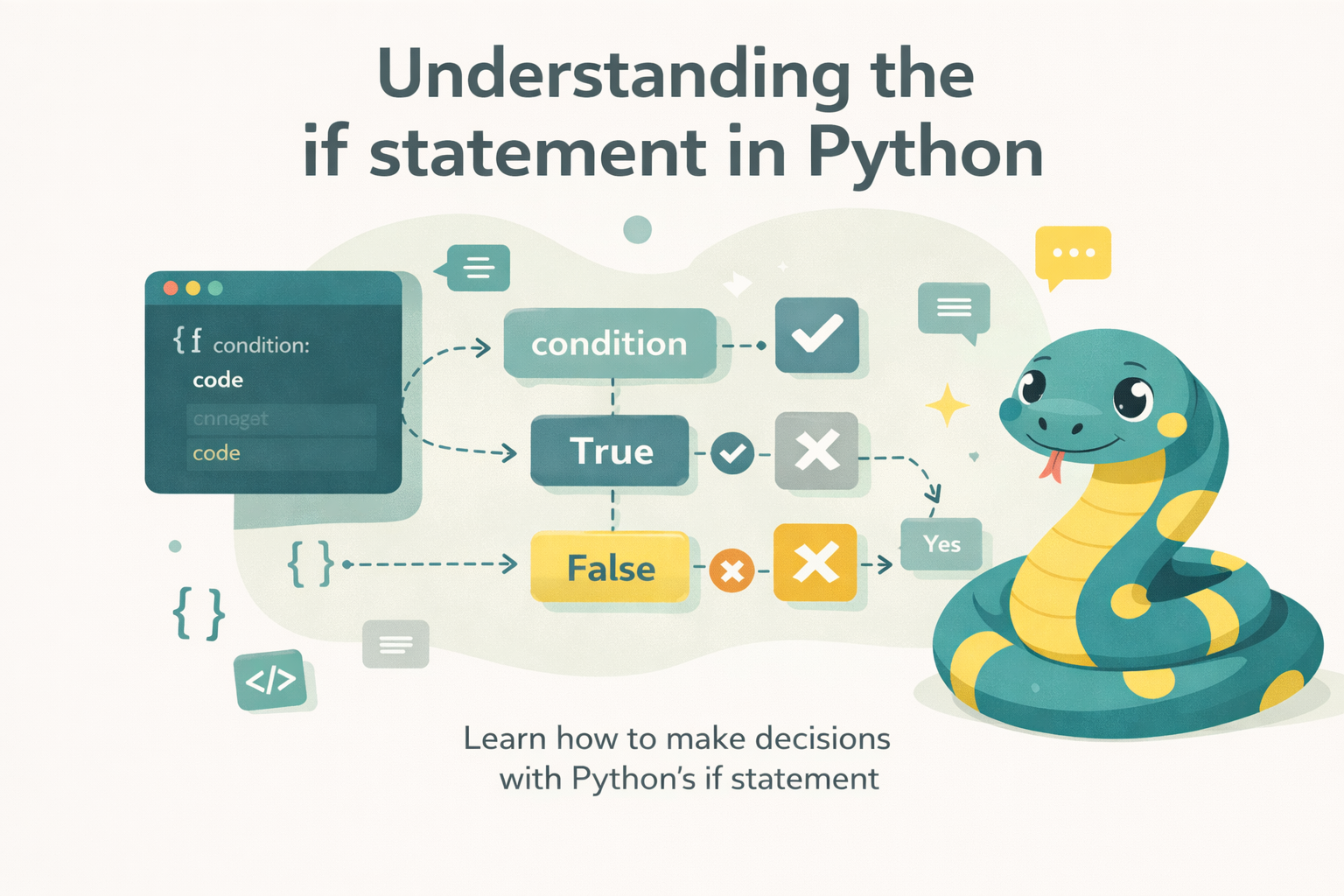
The if statement in Python is used to evaluate a condition. If the condition is True, the program executes the associated block of code; if it is False, the program skips that block.
Basic syntax:
if điều_kiện:
khối_lệnhcondition: an expression that returns eitherTrueorFalse.block_of_code: the statements that will be executed if the condition is True.
Simple example:
x = 10
if x > 5:
print("x lớn hơn 5")Output:
x lớn hơn 5If x is not greater than 5, the program will not print anything.
2. Types of if Statements in Python
2.1 Simple if Statement
This is the most basic form, used when you only need to check a single condition.
Example:
age = 20
if age >= 18:
    print("Bạn đủ tuổi để lái xe")
When age = 20, the condition age >= 18 is True, so the message is printed.
2.2 if…else Statement
Used when you need an alternative action if the condition is False.
Example:
age = 16
if age >= 18:
    print("Bạn đủ tuổi để lái xe")
else:
print("Bạn chưa đủ tuổi")When age = 16, the condition is False → the result is “You are not old enough.”
2.3 if…elif…else Statement
Used when you need to check multiple conditions in sequence. Python evaluates them from top to bottom: if a condition is True, it executes the corresponding block and skips the rest.
Example:
score = 85

if score >= 90:
    print("Hạng A")
elif score >= 75:
    print("Hạng B")
elif score >= 60:
    print("Hạng C")
else:
print("Hạng D")With score = 85, the result is “Grade B.”
2.4 Nested if Statement
You can place an if statement inside another if statement to check multiple layers of conditions.
Example:
year = 2024
if year % 4 == 0:
    if year % 100 != 0 or year % 400 == 0:
        print("Năm nhuận")
    else:
        print("Không phải năm nhuận")
else:
print("Không phải năm nhuận")3. Common Operators and Expressions Used in if
When writing conditions, you often need operators to compare or combine values.
3.1 Comparison Operators
==: equal!=: not equal<,>,<=,>=
Example:
x = 10
if x == 10:
print("x bằng 10")3.2 Logical Operators
and: both conditions must be True.or: at least one condition is True.not: negates the condition.
Example:
age = 20
has_license = True

if age >= 18 and has_license:
print("Bạn có thể lái xe")3.3 Membership Operators
in,not in: check whether an element exists in a string, list, set, etc…
Example:
fruits = ["apple", "banana", "cherry"]
if "banana" in fruits:
print("Có chuối trong giỏ")3.4 Identity Operators
is,is not: check whether two variables reference the same object.
Example
a = [1, 2, 3]
b = a
if a is b:
print("a và b cùng tham chiếu đến một list")4. Checking Conditions with Different Data Types
In Python, conditions in an if statement are not limited to numbers; they can also be applied to many other data types. This gives programmers more flexibility in handling various situations.
4.1 With Numbers (int, float)
Conditions commonly use comparison operators to compare numeric values.
x = 10
if x > 5:
print("x is greater than 5")4.2. With Strings
You can directly compare strings or check for a character/substring using the in operator.
name = "Alice"
if name == "Alice":
    print("Hello, Alice!")

if "A" in name:
    print("The name contains the letter A")
4.3 With Lists, Tuples, and Sets
You can check the length or see whether an element exists in the collection.
fruits = ["apple", "banana", "cherry"]

if len(fruits) > 0:
    print("The basket is not empty")

if "banana" in fruits:
print("Banana is in the basket")4.4 With Dictionaries
You can check for keys or values.
student = {"name": "Minh", "age": 20}

if "name" in student:
    print("The dictionary contains a name key")

if student["age"] >= 18:
print("The student is an adult")4.5 With Boolean Type
Use True or False directly in the condition.
is_logged_in = True

if is_logged_in:
print("The user is logged in")4.6 With Empty Values or None
In Python, values such as 0, "" (empty string), [] (empty list), {} (empty dictionary), and None are all considered False.
data = []
if not data:
    print("The list is empty")

value = None
if value is None:
    print("The value is None")
5. Notes When Using if
Indentation: Python does not use curly braces {} like many other languages; it relies entirely on indentation, usually 4 spaces.
if True:
print("True")Limit excessive nesting: Use elif instead of deeply nested if statements when checking multiple conditions.
if 18 <= age <= 60:
print("Working age")Keep conditions readable: Avoid writing overly long or complex expressions. If necessary, break them into helper variables.
6. Conclusion
The if statement in Python is a basic yet extremely powerful tool for controlling the flow of a program. It allows you to make decisions, handle different situations, and serves as the foundation for more complex control structures.
Mastering the use of if – from basic to advanced – will help you program more effectively in Python. Practice extensively with real-life examples, from checking leap years and calculating ticket prices to creating small games. Over time, you will see that if appears everywhere in programming projects.
7. References
- Python Software Foundation. (2023). The Python tutorial: 4. More control flow tools. Python.org. https://docs.python.org/3/tutorial/controlflow.html
- W3Schools. (2023). Python if…else. W3Schools. https://www.w3schools.com/python/python_conditions.asp
- Real Python. (2023). Conditional statements in Python. RealPython. https://realpython.com/python-conditional-statements/
- Python for Professionals: Learning Python as a Second Language: https://www.kobo.com/us/en/ebook/python-for-professionals-3
- Python: Deeper Insights into Machine Learning: https://www.kobo.com/us/en/ebook/python-deeper-insights-into-machine-learning
- DataFusion Python Bindings in Practice: The Complete Guide for Developers and Engineers: https://www.kobo.com/us/en/ebook/datafusion-python-bindings-in-practice