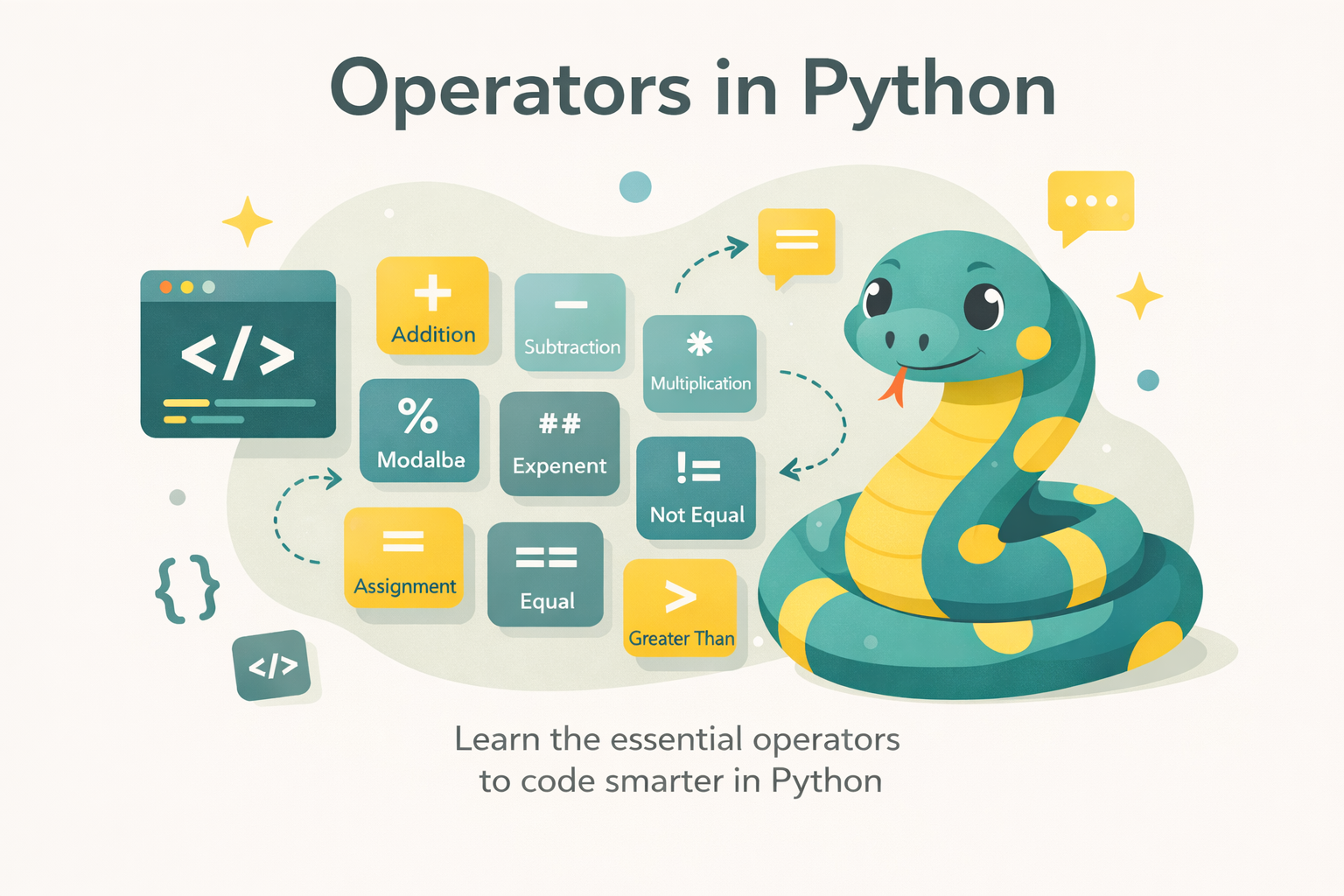
In any programming language, operators are core components used to manipulate data, build expressions, and control program flow. In Python, operators are not limited to familiar arithmetic operations such as addition, subtraction, multiplication, and division; they also extend to many other categories: comparison, assignment, logical operations, membership testing, identity, and even allow programmers to define their own behavior within classes (operator overloading).
This article will help you gain a deep understanding of operators in Python, from basic concepts to advanced applications, while also pointing out common mistakes and how to avoid them. As a result, you will have a solid foundation for writing Python code that is accurate, concise, and easier to maintain.
2. Concept of Operators
An operator is a special symbol or keyword used to perform operations on operands. An operand can be a number, string, list, variable, or even an object.
Example:
a = 10
b = 3
print(a + b)   # 13
print(a > b) # TrueIn the expression a + b, + is the operator, while a and b are operands.
3. Types of Operators in Python
3.1. Arithmetic Operators
Python supports:
+: addition-: subtraction*: multiplication/: division (returns a float)%: modulus (remainder)**: exponentiation//: floor division
Example:
print(10 / 3)   # 3.333...
print(10 // 3)  # 3
print(2 ** 5) # 32Note: division by zero will raise a ZeroDivisionError.
3.2.Comparison Operators
The operators include: ==, !=, <, >, <=, >=.
print(5 == 5)   # True
print(5 != 3)   # True
print("abc" < "abd")  # True (so sánh theo thứ tự Unicode)
Notably:
print(1 == 1.0)   # True
print(1 is 1.0) # FalseBecause == compares values, while is compares memory addresses.
3.3. Assignment Operators
In addition to =, Python supports compound assignment operators:
+=,-=,*=,/=,//=,**=,%=&=,|=,^=,>>=,<<=
x = 5
x += 3   # tương đương x = x + 3
print(x) # 8⚠️ Note: when assigning a variable to a mutable object, both variables will reference the same memory location.
3.4. Logical Operators
Python has three logical operators: and, or, not.
Example:
a = True
b = False
print(a and b)  # False
print(a or b)   # True
print(not a) # FalseShort-circuit evaluation:
x and yreturnsyifxis True; otherwise, it returnsx.x or yreturnsxifxis True; otherwise, it returnsy.
print(0 and 5)  # 0
print(0 or 5) # 53.5. Bitwise Operators
Operate on integers at the binary level:
&(AND)|(OR)^(XOR)~(NOT)<<(dịch trái)>>(dịch phải)
Example:
a = 6   # 110
b = 3   # 011
print(a & b)  # 2 (010)
print(a | b)  # 7 (111)
print(a ^ b) # 5 (101)Applications: used for handling flags, data compression, and system optimization.
3.6. Membership Operators
in,not in.
numbers = [1, 2, 3]
print(2 in numbers)     # True
print(5 not in numbers) # True⚠️ With dictionaries: in only checks keys.
d = {"a": 1, "b": 2}
print("a" in d)    # True
print(1 in d) # False3.7. Identity Operators
is,is not.
x = [1, 2, 3]
y = x
z = [1, 2, 3]

print(x is y)   # True (cùng tham chiếu)
print(x is z)   # False (khác vùng nhớ)
print(x == z) # True (giá trị bằng nhau)⚠️ Common mistake: using is instead of == to compare values.
3.8. Special Operators & Overloading
Python allows redefining operators within classes.
Example:
class Vector:
    def __init__(self, x, y):
        self.x = x
        self.y = y

    def __add__(self, other):
        return Vector(self.x + other.x, self.y + other.y)

    def __str__(self):
        return f"({self.x}, {self.y})"

v1 = Vector(1, 2)
v2 = Vector(3, 4)
print(v1 + v2)   # (4, 6)
Applications: used to build intuitive classes and support natural calculations.
4. Operator Precedence
Some rules:
()has the highest precedence.**(exponentiation).*,/,//,%.+,-.- Bitwise shift operators.
- Comparison operators.
- Logical operators
not,and,or.
Example:
print(2 + 3 * 4)       # 14
print((2 + 3) * 4) # 20Always use parentheses to avoid confusion.
5. Common Mistakes
- Confusing
isand==.
print([1,2] is [1,2])  # False
print([1,2] == [1,2]) # True2. Division by zero
3. Using / instead of // → leading to unintended float results.
4. Comparing incompatible data types.
print("5" > 3) # TypeError5. Using operators that are not applicable to the data type.
6. Practical Applications
- Complex conditions:
if (age > 18 and city == "Hanoi") or is_admin:
print("Access granted")- Checking data in a list/dictionary:
if "python" in skills:
print("Candidate fits the job")- Bitwise operations in security:
FLAG_READ = 0b001
FLAG_WRITE = 0b010
permission = FLAG_READ | FLAG_WRITE
print(permission & FLAG_WRITE != 0) # True- Operator overloading for classes: visualizing data such as vectors, matrices, and fractions.
7. Conclusion
Operators are a fundamental part of Python, enabling data processing, flow control, and the construction of program logic. Mastery goes beyond basic operations to include distinguishing between is and ==, understanding short-circuit evaluation, using bitwise operators, and especially leveraging operator overloading in object-oriented programming.
A good Python programmer is not only someone who uses operators correctly, but also knows how to combine them to write concise, readable, and optimized code.
8. References
- Python Software Foundation. (2024). operator — Standard operators as functions. In Python 3.12.6 documentation. Retrieved from https://docs.python.org/3/library/operator.html
- Real Python. (n.d.). Operators in Python. Retrieved September 26, 2025, from https://realpython.com
- W3Schools. (n.d.). Python Operators. Retrieved September 26, 2025, from https://www.w3schools.com/python/python_operators.asp
- Python for Professionals: Learning Python as a Second Language: https://www.kobo.com/us/en/ebook/python-for-professionals-3
- Python: Deeper Insights into Machine Learning: https://www.kobo.com/us/en/ebook/python-deeper-insights-into-machine-learning
- DataFusion Python Bindings in Practice: The Complete Guide for Developers and Engineers: https://www.kobo.com/us/en/ebook/datafusion-python-bindings-in-practice